Interaction analysis bar
In the Interaction analysis bar, select the relation you want to analyze and specify your settings, such as the dimension step width or filter settings. Set the relation between organizational units, the relation between organizational units and activities, or the relationships between activities. Select the relation between source object and target object, and set the dimensions for both objects using step width and filters.
Interaction analysis bar
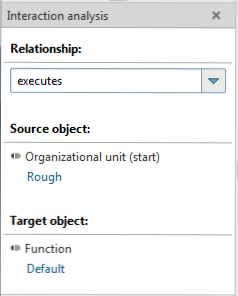
Your choice of relation influences the selection of elements available for your analysis. Only process instances containing the selected relation are available in the process tree.
You cannot analyze function measures and dimensions in the Interaction analysis. Instead, depending on the relation you set, organizational measures and dimensions are available in addition to process measures and dimensions.
A pop-up menu is available if you right-click an item. Your settings are applied directly to your current analysis.
The Interaction analysis bar is available in the Interaction analysis analysis realm and the Instance controlling and Improvement modules.