Processes bar
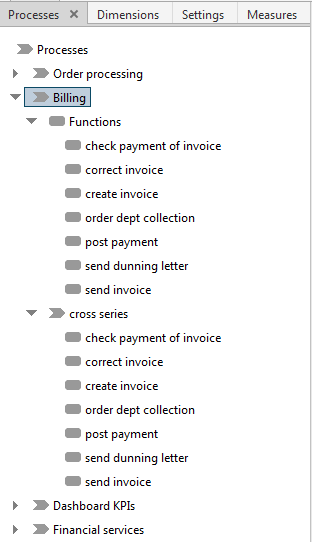
Specify the number of process instances to be analyzed in the process tree of the Processes bar, that is, you select the process instances to be analyzed.
Your selection in the process tree influences the dimensions and measures available for evaluation or calculation. On the Measures and Dimensions tabs, only elements available for the selected process instances are displayed.
Click the arrow in front of an element to show or hide subordinate elements or double-click an element. Select one or more elements to choose the relevant process instances.
Tip
A pop-up menu is available if you right-click an item. Your settings are applied directly to your current analysis.
The Processes bar is available in the Process analysis, Interaction analysis, and Cross analytics analysis realms, as well as in the Instance controlling and Improvements modules.