Dimensions bar
This is were you select the dimensions for which you want to calculate measures.
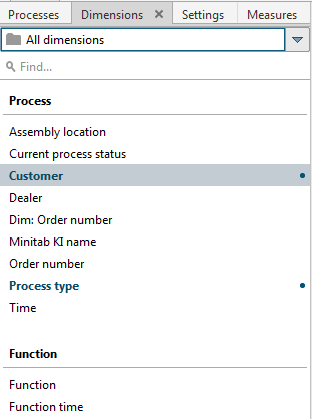
This bar contains all dimensions available for the selected process instances of the process tree.
The selected dimensions for your current analysis or a panel in your multi-panel analysis are displayed in bold and marked with a dot.
To render the display more transparent, you can assign the dimensions to specific dimension groups. To do so, you need to enable the Dimension grouping option on the View tab bar.
User-defined dimensions are arranged below the reference dimension they are based on.
The search box enables you to browse the displayed list for particular measures. Click the  Search dimensions in all processes button in the search field to use a wizard to perform a search across processes. A search across processes is not available in Data Analytics or in interaction analysis.
Tip
A pop-up menu is available if you right-click an item. Your settings are applied directly to your current analysis.
The Dimensions bar is available in all analysis realms and modules.