Settings bar
This bar shows the settings of your current analysis or a selected panel of your multi-panel analysis.
You can conveniently specify all settings available in the Measures and Dimensions bars.
You can add, configure, and remove measures and dimensions for process instances that you select for analysis in the Processes bar. To restrict the number of process instances based on specific criteria you can set additional filters.
You can set the step width and set the scaling for selected dimensions and measures.
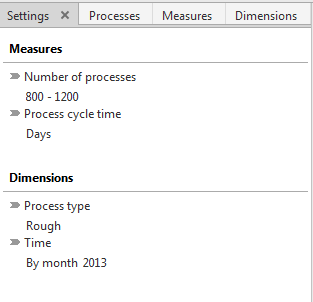
In this example, the process instances of the Order processing type are analyzed. The number of process instances to be analyzed is limited by the set Sales filter with the values Frankfurt and London. This means, only order processing processes of the Sales departments in Frankfurt and London are included in the analysis. For these process instances, the number of processes (measure) per sales organization (dimension) is calculated. Only the number of processes between 600 and 1000 process instances are to be displayed, in line with the result filter. The default step width has been selected for the dimension.
Tip
A pop-up menu is available if you right-click an item. Your settings are applied directly to your current analysis.
The Settings bar is available in all analysis realms and modules.